How to Read a Hiking Trail Map: A Beginner’s Guide
Learn how to read hiking trail maps, understand contour lines and map scales, recognize trail symbols, and navigate junctions with more confidence.
A hiking trail map can look confusing when you first open it. Thin brown lines cross the page, trails use different colors, and small symbols mark everything from streams to road crossings. If you are new to hiking, it may be difficult to tell which details matter most.
You do not need to understand every symbol before heading out. Start with a few basic skills: identify your trail, understand the map scale, recognize elevation changes, and know how to confirm your location at important junctions. These habits make maps much more useful than simply following a line on your phone.
Quick Answer
To read a hiking trail map, find the map legend, locate your starting point and destination, check the scale and elevation information, trace the intended route, and identify junctions and landmarks along the way. Compare the map with trail signs and your surroundings, and carry a suitable backup navigation option when conditions warrant it.
1. Choose the Right Kind of Trail Map
Not all hiking maps provide the same level of detail. The best choice depends on where you are hiking, how clearly the trails are marked, and how much navigation the route requires.
| Map Type | What It Usually Shows | Best Use |
|---|---|---|
| Park or trail map | Named trails, trailheads, facilities, and major landmarks | Marked trails in established parks |
| Topographic map | Elevation, terrain shape, waterways, and mapped features | Understanding hills, slopes, and terrain changes |
| Offline digital map | Downloaded trails, your GPS position when available, and selectable map layers | Navigation when mobile service is unreliable |
| Printed regional map | Roads, trail networks, geographic features, and access points | Trip planning and backup navigation |
For a familiar, well-marked local loop, a clear park map may be enough to get started. For longer or less clearly marked routes, a topographic map can provide useful terrain information that a simple trail diagram may leave out.
Before your hike, check the map’s publication date and compare it with current information from the park or land manager. Trails can close, bridges can be damaged, and access rules can change.
2. Learn to Use the Map Legend
The legend explains what the map’s lines, colors, and symbols mean. Read it before starting instead of assuming that a symbol has the same meaning on every map.
Depending on the map, you may see symbols for:
-
Hiking trails: Lines showing established routes, sometimes differentiated by color or style.
-
Trailheads: Places where a trail begins or where hikers commonly access the trail network.
-
Roads and paths: Routes that may be paved, unpaved, restricted, or intended for other users.
-
Water features: Streams, lakes, rivers, or mapped water crossings.
-
Facilities: Parking areas, restrooms, shelters, visitor centers, or campsites.
-
Boundaries and restricted areas: Property lines, park boundaries, or areas with special rules.
Trail colors do not have one universal meaning. A blue line on one park map might represent a specific named trail, while blue on another map may identify something entirely different. Always check the legend.
3. Understand the Map Scale
The map scale explains the relationship between a distance on the page and the actual distance on the ground. It helps you estimate how far apart two locations are.
For example, a scale of 1:25,000 means that one unit measured on the map represents 25,000 of the same units on the ground. One centimeter on that map represents 250 meters in real life.
| Map Scale | Meaning | Practical Point |
|---|---|---|
| 1:25,000 | 1 cm represents 250 m | More detailed view of a smaller area |
| 1:50,000 | 1 cm represents 500 m | Shows a larger area with less detail at the same page size |
| 1:100,000 | 1 cm represents 1 km | Useful for viewing a broader region |
These examples explain the scale relationship, not the quality or suitability of any particular map. Check the scale printed on the map you are using.
Why distance is more than a straight line
Measuring directly between two points gives you their map distance, not necessarily the distance you will walk. A trail may curve around a hill, follow a stream, or switch back up a slope.
For planning, measure along the actual trail rather than drawing a straight line between the start and finish. Then consider elevation gain, terrain, rest stops, and the group’s pace.
4. Read Contour Lines to Understand the Terrain
Contour lines are one of the most useful features on a topographic map. Each line connects locations at the same elevation. The pattern of the lines helps you picture the shape of the land before you reach it.
What the spacing tells you
-
Lines close together: The ground is generally steeper.
-
Lines farther apart: The ground is generally gentler.
-
Closed loops: Often indicate a hill or other enclosed elevation feature, depending on the contour pattern and elevation labels.
-
V-shaped patterns: Can indicate valleys or drainage features. Their direction depends on the terrain and map context.
Look for the contour interval, which tells you the elevation difference between neighboring contour lines. If the interval is 10 meters, moving across five contour intervals represents a 50-meter elevation difference, assuming you are comparing the correct lines.
Do not assume that every trail crossing five contour lines involves exactly the same amount of climbing as another section. The direction of travel and the full shape of the terrain matter.
Use contour lines to spot demanding sections
Imagine two routes with the same listed distance. One crosses widely spaced contour lines, while the other climbs through a dense cluster of lines. The second route may require more effort because the slope is steeper.
Contour lines are useful for anticipating climbs, descents, and valleys, but they do not tell you everything about trail difficulty. Loose rock, mud, exposure, steps, and trail condition can make a section harder than the map suggests.
5. Trace Your Route Before You Leave
Once you understand the legend, scale, and terrain, trace the route from the trailhead to your intended destination and back. Do not focus only on the endpoint. The landmarks and junctions between the start and finish are just as important.
-
Find the trailhead. Confirm the parking area or access point where you plan to begin.
-
Follow the correct trail line. Check the name, color, or symbol against the legend.
-
Mark major junctions. Notice where the route meets another trail or road.
-
Identify landmarks. Look for bridges, streams, ridges, buildings, or other mapped features along the way.
-
Check the return route. Confirm whether you are following a loop or returning by the same trail.
-
Set a turnaround plan. Decide in advance when you will head back if progress is slower than expected.
This quick review makes it easier to recognize when the trail ahead does not match your plan. It also reduces the temptation to keep walking simply because a path looks inviting.
6. Recognize Junctions and Confirm Your Location
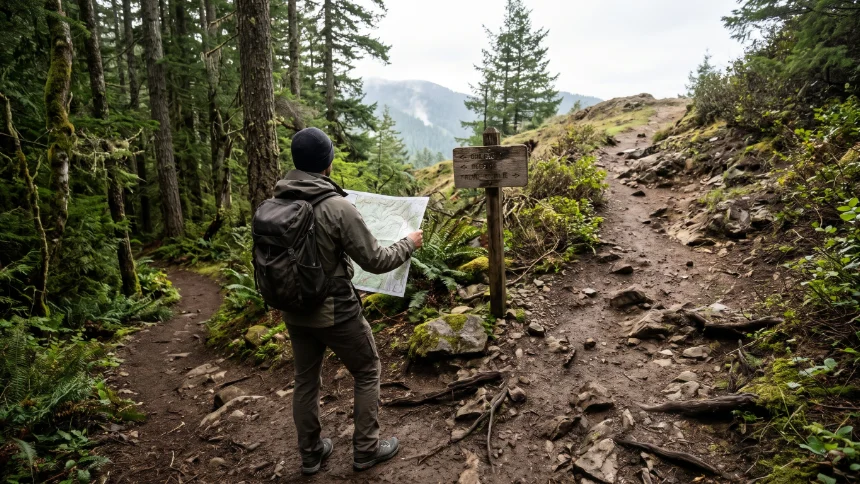
Trail junctions are common places for beginners to lose their bearings. Several paths may look similar, and a sign may show only some of the possible destinations.
Before taking a turn, stop and compare three things:
-
The map: Which trail should you be following, and what feature comes next?
-
The signs: Do the trail names or destination markers match your plan?
-
The surroundings: Does the direction of travel and the terrain make sense for your mapped location?
If the details do not agree, pause rather than guessing. Recheck your location using available landmarks, GPS, and the map. If you cannot confidently establish where you are, retrace your steps to the last known point when it is safe to do so, and seek help if needed.
Beginner tip: At each major junction, take a moment to confirm the trail name and direction before moving on. A short pause is easier than correcting a long wrong turn.
7. Use Digital Maps Without Depending on Your Phone Alone
Digital maps can make navigation easier because they can show your approximate position and allow you to zoom in on junctions. However, a phone is not a complete navigation plan by itself.
Mobile data may be unavailable on the trail. Batteries can drain in cold weather, and a dropped phone can become unusable. GPS positioning may still work without mobile service if the necessary map data has been downloaded, but this depends on the device and app setup.
Prepare your digital map before the hike
-
Download the required map area while you have a reliable connection.
-
Open the downloaded map and confirm that the trails and labels are visible offline.
-
Charge your phone and consider carrying a suitable power bank for longer trips.
-
Learn how to locate your position and read the map before leaving home.
-
Keep the device protected from rain and accidental damage.
For unfamiliar routes, consider carrying a printed map or another suitable backup. Make sure you know how to use it rather than treating it as an item that is useful only in an emergency.
8. Understand North, Direction, and Map Orientation
Many maps place north at the top of the page, but you should confirm the map’s orientation rather than assume it. Some digital maps rotate as you move, and some maps include a north arrow or other orientation information.
When you need to compare the map with the landscape, it can help to orient the map to the surrounding features. For example, if a stream lies to the west of your mapped trail, check whether the stream is on the expected side of you as you walk.
A compass can help with direction, but it requires correct use and an understanding of the map’s north reference. If you are learning to use a compass, practice in a familiar, low-risk location before relying on it for an unfamiliar hike.
9. Common Trail Map Mistakes Beginners Make
Following the map without checking trail signs
Maps may be outdated or show a route that has changed. Compare the map with current signs and official notices, especially when a trail has closures or construction.
Confusing distance with difficulty
A short trail can still be demanding if it climbs steeply, crosses rough ground, or has exposed sections. Review elevation and terrain as well as mileage.
Assuming every trail marker is shown on the map
Some small junctions or temporary signs may not appear. Use the map alongside your surroundings instead of expecting every feature to match exactly.
Starting without checking the return route
Before leaving, understand whether you are walking a loop or returning along the same trail. Check the distance and daylight needed for the whole outing, not just the outward journey.
Trusting a phone that has not been prepared
A map that requires an internet connection may not load when you need it. Test offline access before the hike and have an appropriate backup plan.
10. A Simple Trail Map Checklist
Use this quick checklist before setting out on an unfamiliar trail.
-
Confirm the trailhead and planned destination.
-
Read the legend and identify the correct trail markings.
-
Check the map scale and estimate the actual trail distance.
-
Review contour lines and the expected elevation changes.
-
Identify major junctions and useful landmarks.
-
Confirm the return route and a realistic turnaround point.
-
Check current trail status, closures, and local conditions.
-
Download offline maps or prepare a suitable printed map.
-
Carry navigation tools appropriate to the route and your experience.
-
Tell someone your plans when the trip or location makes that appropriate.
Final Thoughts
Learning to read a hiking trail map becomes easier when you focus on a few essentials instead of trying to memorize every symbol. Start with the legend, scale, contour lines, route markings, and major junctions. Then practice comparing the map with the terrain around you.
For your first few outings, choose routes that match your experience and use current information from the relevant park or land manager. Keep a backup navigation option when appropriate, and do not continue blindly if your location becomes uncertain.
A map is more than a picture of the trail. It is a tool for making better decisions before and during your hike.